

Plugins para exportar productos variables en WooCommerce: maximiza tu eficiencia.
Este es un resumen del artículo. Si necesitas contexto adicional, aquí tienes el enlace original: https://www.wpallimport.com/best-plugins-export-variable-products-woocommerce/
WooCommerce stores a variable product as a parent record plus one child record per variation. The parent carries the title, the category and the attribute names. Each variation carries its own SKU, price, stock count and image.
Most export problems start with that split. A file that loses the parent SKU cannot rebuild the product on another store.
In this article, we’ll share four plugins that export variable products from WooCommerce. Each one keeps the parent row and the variation rows in the same file.
📑
Table of Contents
What a Variable Product Looks Like in an Export File
A variable product is two kinds of record in the WordPress posts table. The parent record holds the shared data. Each child record holds one purchasable variation.
| Type | SKU | Parent | Regular price | Stock | Size |
| variable | TEE-CLASSIC | S, M | |||
| variation | TEE-CLASSIC-S | TEE-CLASSIC | 24.00 | 12 | S |
| variation | TEE-CLASSIC-M | TEE-CLASSIC | 24.00 | 0 | M |
The parent row carries the title, the category and the attribute names. Attribute values share one cell, separated by commas. Price and stock stay empty on that row.
Each variation row repeats the parent SKU in the Parent column. WooCommerce uses that column to rebuild the link on import. Product IDs belong to one site, so the SKU travels further.
WooCommerce builds the price range for a variable product from its variations. A parent row has no single price to export.
Best WooCommerce Variable Product Export Plugins
We have listed four WooCommerce variable product export plugins below, ordered by how much control each one gives you over the variation row. Start with the first entry if you need parent and child rows in a single file, in a format you choose.
1. WP All Export
WP All Export turns WooCommerce variable products into CSV, Excel, XML or Google Sheets files. Start at All Export › New Export and pick WooCommerce Products from the post type list. Under Add Filtering Options, set the element to Product Type, the rule to In, and the value to variable. The record count updates as each rule lands.
Click Customize Export File to reach the drag and drop screen. Available Data lists Product Data, Media and Taxonomies for the products in the export. A variable product adds its own attributes to the Attributes section at the bottom of Product Data. Drag an attribute across and every variation row gets a column for it.
The Advanced Options panel holds the setting that matters here. WP All Export offers three Product Variation choices. Export variations and their parent products, export only variations, or export only parents. Each choice pairs with a title option, so a variation row can use the parent title or its own. The separator defaults to a comma, so a pipe-delimited file needs that box changed to a pipe.
WP All Export writes the file from a setting on the drag and drop screen. Export Type sits below the column list and offers CSV, Excel, XML or Google Sheets. The run ends on a download screen with the file alone or as a Bundle. That Bundle is a zip holding the export and a WP All Import template built for those columns.
Pros
- Filters accept attribute values, so one color or size exports on its own.
- Relative date rules such as last week work inside the filter panel.
- Every product field is available, including total sales and shipping class.
- Zapier sends a finished export to Google Sheets, Dropbox or a mailing list.
- Scheduled runs use cron jobs or the Automatic Scheduling service.
Cons
- Variation rows and rule filters sit behind a paid licence.
- Automatic Scheduling charges $19 per month on top of the licence.
- Manual scheduling needs server cron access and a trigger URL.
Reviews
4.5 out of 5 from 24 reviews on the WordPress.org listing for the Product Export add-on.
Price
The WooCommerce Export Package is $169 per year and includes the WooCommerce add-on. A lifetime licence is $1,299 once.
Recommended For
Store migrations, marketplace feeds, and any file that has to come back in through WP All Import.
2. Store Exporter
Store Exporter is a free plugin from Visser Labs that builds a file from a filter screen. Open WooCommerce › Store Export and stay on the Export tab. The Products section holds the field list on one side and the export options on the other.
The Product Types filter decides the row structure. Tick Variable and tick Variation. One box without the other gives you parent rows with no child rows, or child rows with no parent context. That filter ships in the free plugin.
Field selections are remembered between visits. Column order survives a page refresh. The Archives tab keeps earlier files on the same screen.
Free exports are CSV. TSV, XLS, XLSX and XML are Deluxe formats. Deluxe adds scheduled runs, FTP and cloud delivery, and date-ranged exporting.
Pros
- Variation filter included at no cost.
- Field selection saved between exports.
- Archives tab keeps previous files.
- Deluxe costs $49 per year for one site.
Cons
- Variation rows depend on ticking two boxes.
- CSV only in the free version.
- Advanced filtering and scheduled runs are Deluxe.
- Field labels cannot be renamed in the free version.
Reviews
4.1 out of 5 from 166 reviews on the WordPress.org listing, version 2.8.2.
Price
Free. Deluxe is $49 per year for one site.
Recommended For
Small catalogs, one-off CSV files, and stores that want variation rows without a licence.
3. Export Products, Orders & Customers for WooCommerce
WPFactory publishes this exporter as a free plugin on WordPress.org. Open WPFactory › Export, also reachable under WooCommerce › Settings › Export, then open the Products section. A field list sits on the left and the column order sits on the right. Move fields across with the arrow button and click Save changes. Preview and Export sit on the same screen.
One option decides the row structure. It writes each variation on its own row, ships in the free plugin, and starts switched off. Switch it on before the first run.
Free output covers CSV and XML. Separator, wrapper and UTF-8 BOM are settings rather than paid extras. One custom meta column comes free, and Pro removes that limit.
Pros
- Variation rows at no cost.
- CSV and XML in the free version.
- Preview before a full export runs.
- Column order saved with the field selection.
- Block size and time limit exposed for large catalogs.
Cons
- No product type filter, so every product lands in the file.
- No category filter either.
- One custom meta column in the free version.
- Product filters stop at a date range.
Reviews
4.6 out of 5 from 14 reviews on the WordPress.org listing, with 2,000 active installs.
Price
Free. Pro is $49.99 per year, or $149 once for unlimited sites.
Recommended For
Stores that want variation rows without paying, and can sort the file afterwards.
4. Smart Manager
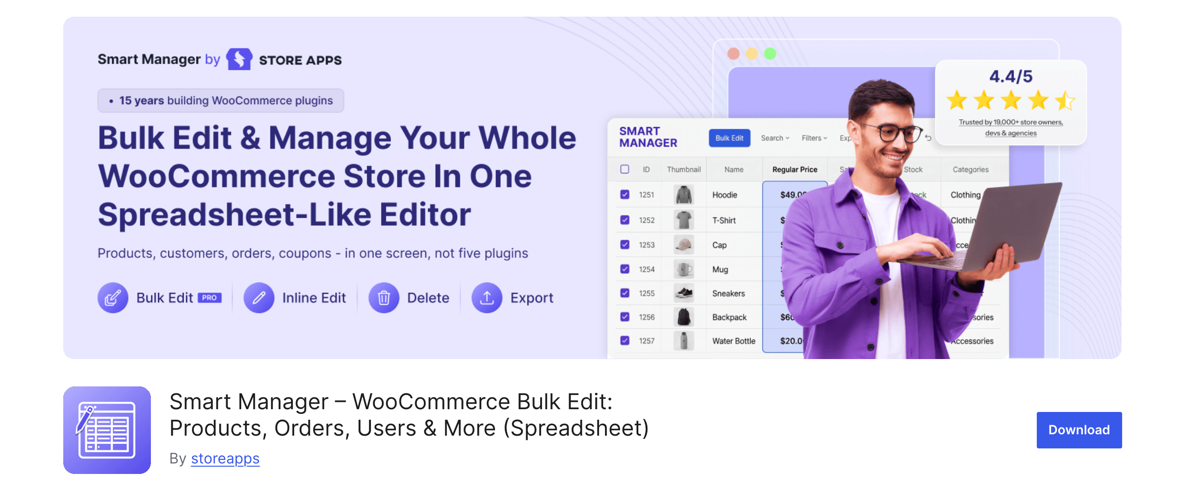
Smart Manager from StoreApps treats the export as a view of its grid. Open the Smart Manager dashboard and choose Products from the dropdown at the top. Tick Show Variations and variation rows appear beneath their parent products.
Hover over Export in the top bar and pick a scope. Entire Store – Visible Columns writes the rows already on screen. Entire Store – Stock Columns writes the stock set instead. Select rows first and the floating bar at the bottom adds Export selected.
The scope lives in that dropdown, so the filter runs before the file exists. Only enabled columns reach the file, which keeps the export narrow or incomplete depending on the current view.
Pros
- Filter, select and export without leaving the grid.
- Variation rows sit beside their parent rows.
- Selected rows export on their own.
- Handles catalogs past 100,000 records.
- Large files process in the background in Pro.
Cons
- All-column export requires Pro.
- CSV only.
- Scheduled exports cover orders, not products.
- Hidden columns drop out of the file.
Reviews
4.4 out of 5 from 289 reviews on WordPress.org, with 10,000 active installs.
Price
Free Lite version. Pro is $199 per year for one site, or $549 once.
Recommended For
Teams that already edit products in the grid and want the file as a by-product.
Final Thoughts on the Best Plugins That Export WooCommerce Variable Products
Most export failures start with the parent and child split. A file drops the Parent column and the catalog cannot be rebuilt elsewhere. A file skips attribute columns and nobody can sort by size.
WP All Export fixes both on one screen. Open All Export › New Export and choose WooCommerce Products. Filter Product Type to the value variable, then open Advanced Options. The Product Variations setting decides the row structure. Export parents and variations together, variations only, or parents only. The record count updates as each rule lands.
Attributes come from the catalog, so a new size column appears without setup. Output runs to CSV, Excel, XML or Google Sheets. The Bundle download adds an import template for the return trip. The WooCommerce Export Package is $169 per year.
The other three cover narrower jobs. Store Exporter writes a CSV from a checkbox filter for $49 per year. Export Products, Orders & Customers writes variation rows free, without a product type filter. Smart Manager exports whatever its grid is showing.
Frequently Asked Questions – Best Plugins To Export WooCommerce Variable Products
Does the WooCommerce CSV exporter include product variations?
Yes, if Variations is ticked. Open Products › All Products, click Export, and select both Variable and Variations in the product type list. The file arrives as CSV with columns named Attribute 1 name and Attribute 1 value(s). Leaving either box unticked removes parent rows or variation rows from the file.
Why are variations missing from my WooCommerce export?
Most missing variation rows come from the product type filter. WordPress writes variations only when Variations is ticked on the export screen. Store Exporter needs both Variable and Variation ticked in its Product Types filter. A third cause is a server timeout on large catalogs, which cuts the file short.
Can I export variable products to Excel from WooCommerce?
Not with the built-in exporter, which writes CSV only. WP All Export offers .xls and .xlsx under Export Type on the drag and drop screen. Store Exporter adds XLS and XLSX in its Deluxe tier. Export Products, Orders & Customers lists CSV and XML only, in both versions.
Do I need a paid plugin to export WooCommerce variations?
No. Export Products, Orders & Customers writes each variation on its own row from the free plugin. Store Exporter includes the variations filter at no cost. Paid licences add rule-based filters, Excel and XML output, scheduling, and column control. WP All Export needs a paid licence for variation rows.
How do I export only variable products from WooCommerce?
Two routes work. In WP All Export, set Product Type to In with the value variable under Add Filtering Options. In Store Exporter, tick Variable in the Product Types filter. Export Products, Orders & Customers has no product type filter, so those files need sorting afterwards.
Related Information
- How to Export WooCommerce Variable Products
- How to Export a Product Variation in WooCommerce
- How to Import Variable Products into WooCommerce
- Export WooCommerce Products to CSV, XML and Excel
Puedes consultar el artículo original aquí: https://www.wpallimport.com/best-plugins-export-variable-products-woocommerce/